Clash Royale Ken’s Shop: Khaos Tokens, Rewards and Secrets
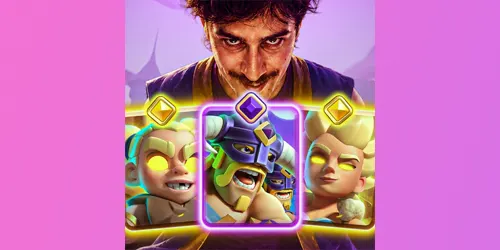
Learn how Clash Royale Ken’s Shop works, how to earn and spend Khaos Tokens, which rewards to prioritize, and what happens after clearing the first offers.
Table of Contents
Clash Royale Ken’s Shop is a limited seasonal store where players spend Khaos Tokens on progression rewards, cosmetics and special offers. The first version of the shop can look deliberately small, but clearing its opening offers may reveal the larger reward selection. That hidden transition is why some players see only a few items while others see Evolution rewards, chests, Trade Tokens, banners and emotes.
This guide explains how Ken’s Shop works, how to earn Khaos Tokens, what to buy first and what the unusual Hero Mega Knight display actually means. Because this is a live seasonal feature, always compare the guide with the prices and remaining time shown inside your own game.
What Is Ken’s Shop in Clash Royale?
Ken’s Shop is part of Clash Royale’s K.H.A.O.S-themed season. It uses Khaos Tokens rather than Gold, Gems or Crystals. These tokens are earned through the seasonal activities available to your account and can only be spent on the offers presented inside the shop.
The unusual presentation is intentional. Players may initially enter a small shop with cheap or apparently unimpressive offers. After buying the required opening items, leaving the screen and reopening or restarting the game, the expanded shop can appear with the season’s main rewards.
If you are also following the season’s new cards, visit the Clash Royale Cards Hub or browse the complete Clash Royale card list.
How to Find Clash Royale Ken’s Shop
Look for the seasonal Ken’s Shop entry from the main Clash Royale screen or the active K.H.A.O.S event area. The exact position can change with interface updates, so check the event buttons around the main battle screen if the shop is not immediately visible.
- Open Clash Royale and enter the current seasonal event area.
- Locate the Ken’s Shop button or Ken-themed event icon.
- Open the initial shop and inspect every available token offer.
- Purchase the required opening offers using Khaos Tokens.
- Leave the shop and open it again.
- If it does not refresh, play a battle or fully restart the game.
Some players have reported that the shop briefly disappears after they claim the initial rewards. In many cases, reopening the game or returning later allows the expanded version to load. Avoid reinstalling the game or spending unrelated currency just because the seasonal button temporarily disappears.
How to Unlock the Full Ken’s Shop
The key step is to clear the small opening shop. Ken’s Shop does not necessarily display its complete inventory the first time you enter. Community testing during the August 2026 season found that purchasing all required items in the first selection can trigger a second, larger selection.
If the full shop does not appear immediately:
- Confirm that every purchasable opening offer has been claimed.
- Close the shop and return to the main screen.
- Play one battle and check the shop again.
- Fully close and reopen Clash Royale.
- Allow time for the event interface to refresh.
This behavior is a seasonal discovery rather than a permanent rule for every future shop. Supercell can change the unlock sequence, inventory or prices without requiring a full game update.
How to Get Khaos Tokens in Clash Royale
Khaos Tokens are the dedicated currency for Ken’s Shop. During the active season, players can collect them from the K.H.A.O.S token progression and other eligible seasonal activities shown in the game. Check the reward track carefully because token bundles can use different amounts at different milestones.
The safest method is to complete the available token objectives consistently instead of waiting until the final days. A missed daily or limited objective may reduce the number of shop rewards you can afford before the event closes.
Do not confuse Khaos Tokens with older Season Tokens, Trade Tokens or Crystals. They may use similar reward interfaces, but each currency has a separate purpose and balance.
Ken’s Shop Rewards
The expanded Ken’s Shop has been reported to include a mixture of progression and cosmetic rewards. Available offers can include:
- Elite Barbarians Evolution progress
- Choice or high-star chests
- Gems
- Gold and Gold Crates
- Trade Tokens
- Emotes
- Battle banners
- A seasonal Tower Skin
Your account’s visible inventory is the final authority. Rewards may unlock in stages, and Supercell can adjust availability during the season. Do not assume that a screenshot from another player guarantees an identical shop on your account at the same moment.
What Should You Buy First in Ken’s Shop?
For most active players, permanent progression should come before cosmetics. A sensible priority is:
- Evolution rewards: Evolution progress is normally harder to obtain than Gold or basic chests.
- High-value chests: Five-star or other premium chests can provide valuable collection progress, although their exact contents depend on the reward system.
- Gems: Gems remain flexible and can be saved for future value.
- Trade Tokens: Useful when your clan actively trades and you have a clear card-upgrade target.
- Gold and smaller chests: Reliable progression, but generally easier to obtain elsewhere.
- Cosmetics: Prioritize a limited emote, banner or Tower Skin if collection value matters more to you than progression.
There is no universal best purchase for every account. A nearly maxed player may value exclusive cosmetics more than Gold, while a developing account usually benefits more from Evolution progress, premium chests and Gems.
Should You Save or Spend Khaos Tokens?
Do not save tokens solely because of an unreachable-looking display or an unconfirmed future reward. First unlock the expanded shop, then compare the confirmed prices with the number of tokens still available on your reward track.
Community calculations have suggested that consistent players can collect enough tokens to purchase the normal listed inventory, but those totals depend on the live track and may change. Use the amounts displayed in your game rather than treating any fixed online total as permanent.
If you cannot afford everything, secure the rare progression reward you actually want before spending on Gold or low-value chests. Do not leave all purchases until the final minutes because event closing times and maintenance can prevent a last-second claim.
Is Hero Mega Knight Available from Ken’s Shop?
A Hero Mega Knight-style image and the number 6767 have appeared in Ken’s Shop, creating searches for Hero Mega Knight across the community. However, a visual joke, teaser or inactive shop tile is not the same as a confirmed playable Hero card.
If an item cannot be selected, has no working purchase action and does not appear as an obtainable card in the live collection, players should not treat it as a claimable reward. Do not save Khaos Tokens exclusively for that tile unless the game later gives it a real price and working purchase button.
For the latest evidence and status checks, read our separate guide: Is Hero Mega Knight in Clash Royale? Keeping this question on its own page prevents rumors from being presented as confirmed card information.
Ken’s Shop Not Showing or Not Refreshing
If Ken’s Shop is missing, sold out or still displays only the opening selection, try these steps:
- Check that Clash Royale is updated through your device’s official app store.
- Confirm that you claimed every required opening offer.
- Return to the main screen and reopen the event.
- Complete one battle to trigger a fresh account sync.
- Fully restart the application.
- Wait briefly and check again if the event servers are busy.
A staged rollout or temporary server issue can also produce different screens between accounts. Never give another person your Supercell ID login code to “fix” a missing shop.
Useful Ken’s Shop Strategy
Before purchasing, make a short list of the rewards that would improve your account. If you plan to use the Evolution reward, compare suitable builds in the Clash Royale decks section. You can also test an eight-card combination with the Clash Royale Deck Builder before committing resources to upgrades.
Players following the newest Heroes can review the best Hero Berserker decks and best Hero Valkyrie decks. Those pages address deck construction, while this guide remains focused on the seasonal shop and its currency.
Clash Royale Ken’s Shop FAQ
What currency does Ken’s Shop use?
Ken’s Shop uses Khaos Tokens, a dedicated seasonal currency. Gold, Gems, Crystals and Trade Tokens are separate resources.
How do I unlock the second Ken’s Shop?
Claim the required items from the small opening shop, leave the screen and return. If the larger shop does not appear, complete a battle or restart Clash Royale so the event can refresh.
Why did Ken’s Shop disappear?
The shop may temporarily disappear after the initial offers are cleared or while the interface refreshes. Restart the game and check the seasonal event area again. It can also disappear when its availability period ends.
Can I get Hero Mega Knight from Ken’s Shop?
The Hero Mega Knight-style display is not enough to confirm an obtainable Hero. Unless the tile receives a working purchase action and the card becomes available in the live collection, treat it as a tease or joke rather than a claimable reward.
What is the best Ken’s Shop reward?
Evolution progress is usually the strongest long-term choice for a developing account, followed by premium chests and Gems. Cosmetic collectors may instead prioritize limited emotes, banners or the Tower Skin.
Will unused Khaos Tokens carry over?
Do not assume that a limited seasonal currency will transfer into another season unless Clash Royale explicitly says so inside the event. Spend confirmed tokens before the displayed deadline.
Final Verdict
Clash Royale Ken’s Shop offers more than its first screen suggests. Clear the opening offers, refresh the game if necessary and prioritize the permanent rewards that matter to your account. Earn Khaos Tokens steadily, follow the deadline shown in the event and avoid saving everything for an inactive Hero Mega Knight image.
Ken’s Shop is tied to a changing live season, so offers and requirements can be adjusted. For official Clash Royale announcements, check the Clash Royale news page. For background on the game’s K.H.A.O.S updates, see Supercell’s official C.H.A.O.S development update.