Clash Royale Skeleton Emote: How to Get and Use It
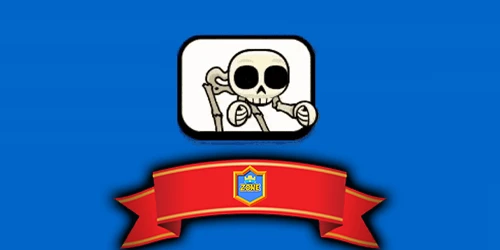
Unlock the Clash Royale Skeleton Emote! Learn how to get, equip, and use the new Skeleton Banging Shield Emote, with sound effects and fun animations.
Table of Contents
You’ve probably seen the Clash Royale Skeleton Emote where a skelly slams a shield with a sharp clang right beside the King’s Tower, and it’s hard to ignore what it signals. You can grab it free during the promo, slot it into your Emote Deck, and even favorite it so it shows up first—if your SFX isn’t muted. But that’s just the surface, because how you obtain and time it can change what it does to a match…
What Is the Clash Royale Skeleton Emote?
Although Clash Royale has several skeleton-themed reactions, the Skeleton Banging Shield emote is a newer one that shows a tiny skeleton aggressively smashing a shield with a loud clang and yell, riffing on the Skyrim skeleton meme—so you can drop it mid-match as an audible, non-voice taunt to celebrate a clutch defense or BM an opponent after a swing. As a clash royale skeleton emote, it pops near your King’s Tower with punchy animation and sound (you’ll only hear it if you haven’t muted SFX). You’ll spot it in your Collection once obtained, sitting at the end of the emote list, and you can tap the heart to favorite it so it shows first in battles. If you’re wondering how to get skeleton emote clash royale, you’ll handle that separately later.
How to Get the Clash Royale Skeleton Emote?

- Open the reward link or scan the QR code, then tap “Claim Reward.”
- Allow Clash Royale to launch automatically and sync the reward to your account.
- Go to Collection → Emotes (third tab) and scroll to the end to find the newly added skeleton banging shield emote.
If you want faster access later, tap the heart icon to favorite it so it shows first in your Emote Deck.
Skeleton Banging Shield Emote: How to Unlock and Use It
When you want a quick, loud reaction in Clash Royale, the Skeleton Banging Shield emote delivers with a hard shield-smash and an aggressive yell that’s perfect for celebrations—or a bit of BM. To obtain it free, tap the article’s reward button using the skeleton emote link clash royale or scan the skeleton emote qr code, then hit “Claim Reward” to open the game and add it to your collection while the campaign’s live.
Next, go to Collection, switch to the Emotes tab (third category), and scroll to the end to find your newest obtainment. Equip it, then press the heart icon to favorite it so it stays first in your Emote Deck. If it’s too noisy, toggle mute beside the deck to stop sounds and sending.
The Origin of the Skeleton Banging Shield Meme Emote
If you’ve ever wondered why the Skeleton Banging Shield emote feels so oddly familiar, it’s because Clash Royale pulled it straight from a long-running internet meme: a jittery skeleton that wildly smashes a shield and screams, a clip originally derived from Skyrim’s skeleton animations. That’s the skeleton emote meme origin: fans remixed the goofy motion across platforms until it became a recognizable template. Supercell then repackaged that chaos into a clash royale new skeleton emote, keeping the same over-the-top timing that makes it feel instantly quotable. It hits because you can use it to flex or needle someone in seconds.
1) Skyrim-style skeleton animation became the base.
2) Viral remixes spread the scream-and-smash gag.
3) Clash Royale adapted it into a taunt-ready emote.
Emote Sound Effects and Animations in Clash Royale
Although Clash Royale keeps battles free of voice chat, emotes still deliver personality through tight animation beats and, in rare cases, loud sound cues—like the Skeleton Banging Shield’s shield-smash and aggressive yell. When you drop an emote, it animates beside your King Tower, so the timing feels tied to the moment you’re reacting to. Your skeleton emote animation clash royale also obeys the emote cooldown, with longer delays introduced in the Champions Update (Oct 27, 2021) to curb spam and force cleaner pacing. If you mute the game, you can’t send emotes at all, and you’ll see and hear none of them—no visuals, no skeleton emote sound effects. Spectators only get a smaller, silent replay, while clan chat replays full audio.
How to Equip the Skeleton Emote and Add It to Your Deck
- Open Personalize and your Emote Deck.
- Drag or tap the Skeleton emote into one of 8 slots.
- Use the white arrow to scroll right and confirm it’s active.
This clash royale skeleton emote tutorial also reminds you to unmute sound if you want the smash and yell.
Is the Skeleton Emote Available for Free or Through Events?
While the reward campaign’s live, you can grab the Skeleton Banging Shield emote for free using the official reward link or the QR code in this article—no gems, Pass Royale, or Shop purchase required. You’ll complete the clash royale emote redemption by tapping “Claim Reward” on the official redirected Clash Royale webpage; it then opens your game and deposits the emote straight into your collection at zero cost. This drop isn’t coming from the in-game Shop, Trophy Road, or paid tracks, so you don’t need to wait for rotations or bundles. If the promotion ends, the exact free claim may disappear, though similar Skeleton-themed or regular emotes sometimes return later through limited events, special offers, or other one-off distribution methods.
Where to Find and Equip the Skeleton Emote in Clash Royale
- Select the Skeleton emote, then add it to your Emote Deck (Personalize) so it’s within your eight equipped slots.
- Tap the heart icon to favorite it, pushing it to the front during matches and cutting down on swipes.
- If emotes won’t play or send, toggle the mute control beside the Emote Deck—muting disables showing and sound.
Frequently Asked Questions
How to Get the Skeleton in Clash Royale?
You get the Skeleton emote by claiming it through an official reward link or QR code when available. Tap “Claim Reward,” let the game open, then find it in Collection and favorite it. No gems needed.
Conclusion
Now you know what the Clash Royale Skeleton Emote is and why it hits so hard: a skelly smashing a shield with a clang that’s perfect for quick taunts or celebrations. You can grab it free during the promo through a reward link or QR code, then find it at the end of Collection → Emotes. Add it to your Emote Deck, favorite it to show first, and keep SFX unmuted—cooldowns still apply.