How to Friend People on Clash Royale (2025 Guide) – RoyaleZone
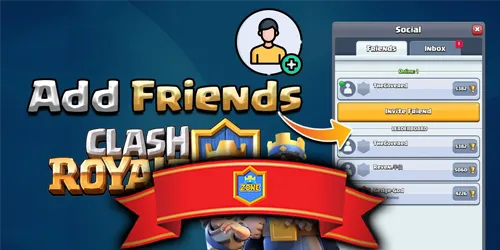
Learn how to add friends in Clash Royale in 2025 using player tags, Supercell ID, clan invites, and in-game options.
Table of Contents
Want to add friends in Clash Royale without missing hidden limits or invite pitfalls? You’ll use the Friends and Social tabs, player tags, and optional Supercell ID/Game Center links—but a few steps matter more than you’d expect. You’ll also need to watch caps, pending requests, and profile details to avoid wasted invites. If you’re unsure why requests don’t show up or how to free slots fast, here’s what you should know next.
What Is the Friends & Social Tab in Clash Royale?
Often overlooked, the Friends & Social tab is Clash Royale’s hub for managing people you know across services. You’ll use it to view and manage friends imported from Supercell ID and Game Center, separate from your in-game Clash Friends list. It’s a distinct menu focused on aggregating contacts rather than handling your core Clash Friends pool.
When you link Supercell ID or Game Center, the Social tab shows who’s available from those networks. If you haven’t linked anything, you won’t see those friends. The tab can display up to 300 Supercell ID friends, which is different from the in-game limit. Your Clash Friends cap is 100, and pending requests count toward that cap. That distinction matters when managing visibility and avoiding blocked invitations.
How to Add Friends in Clash Royale
You’ve seen how the Friends & Social tab aggregates contacts; now here’s how to add them. Open Friends, tap the Add Friend icon, and enter the player’s tag (starts with #) to send a direct request. You can also link Supercell ID or Game Center in the Social tab to surface external friends separately and invite them easily. Handle incoming requests in Friends: accept or ignore as needed.
Open Friends, tap Add Friend, enter their #tag, or link Supercell ID/Game Center to invite easily.
1) Prioritize precision: use player tags for guaranteed matches, then verify the avatar and level before sending.
2) Streamline syncing: link Supercell ID or Game Center to pull real-life contacts, then invite from the surfaced list instead of searching manually.
3) Maintain capacity: if invites fail, clear pending requests or remove inactive Clash Friends to free slots and reattempt.
How Many Friends Can You Have in Clash Royale?
In Clash Royale, you can have up to 100 in-game Clash Friends, and that cap includes pending requests. If you’re at 100 total (friends plus pending), the game blocks new requests until you clear space. Accepting or removing pending invites frees slots just like unfriending someone.
Your Social tab also shows friends from linked services, but those don’t count toward the 100. Supercell ID friends sit in their own list with a separate limit of up to 300. Game Center contacts are separate too; they only affect visibility, not the Clash Friends cap.
Practically, you manage two pools: 100 Clash Friends in-game and up to 300 Supercell ID friends. What you link determines who appears, but only Clash Friends and their pending invites use the 100-slot limit.
Common Problems With Friend Invites (And Fixes)
Run into friend-invite hiccups? You’re not alone. The most common blocker is the 100 Clash Friends cap. Pending requests count toward that limit, so if you or your friend sits at 100, new invites won’t go through. Even if you see contacts via Supercell ID or Game Center in the Social tab, those lists don’t bypass the in-game limit—Supercell ID has its own 300 cap, but Clash Royale still enforces 100.
1) Check limits: Open Social, review your Clash Friends count, and look for pending requests. If you’re full, invites can’t arrive.
2) Clear pending clutter: Decline or accept unwanted pending requests to free slots, then resend.
3) Refresh links: Ensure Supercell ID/Game Center are properly connected; unlink/relink if contacts aren’t visible, then reattempt invites.
How to Remove or Manage Friends
Start by tidying your lists: open Social, tap Friends, and remove clutter that’s blocking new invites. Tap a player’s profile, hit Remove Friend, and free a slot instantly from the 100 Clash Friends cap. If invites still fail, clear pending requests; they count toward the same cap. Go to Requests, review, and decline anything you don’t want.
Manage external connections separately. Supercell ID friends (up to 300) and Game Center contacts appear in Social but aren’t part of the 100 Clash Friends pool. Use account settings to remove or unlink if that list is bloated, then refresh and retry invites.
| Task | Where/How |
|---|---|
| Remove Clash Friend | Friends > Profile > Remove Friend |
| Clear pending requests | Requests > Decline |
| Trim Supercell ID list | Settings > Supercell ID |
| Recheck linked accounts | Settings > Linked Accounts |
Friends vs Clanmates: What’s the Difference?
Now that you’ve cleared space on your lists, understand how friends differ from clanmates. Friends are one-to-one connections; clanmates are your shared-team network. Friends cap at 100 in-game (pending invites count), while clan membership isn’t bound by that 100-friend limit. You can keep up to 300 Supercell ID friends separately, visible in the Social tab alongside Game Center contacts.
1) Friends: You can invite, spectate, and send friendly challenges or direct trades to specific players. It’s personal and portable—even across clans.
2) Clanmates: You share clan chat, donations, wars, events, and coordinated pushes. Friendly battles and card requests happen inside the clan.
3) Use both: Add skilled partners as friends for quick duels, then recruit them to your clan for structured play, leadership roles, and reliable activity.
Frequently Asked Questions
How to Add People in Clash Royale 2025?
Open Social, tap Add Friend, search by name/tag, or tap player cards to send requests. Link Supercell ID or Game Center to import contacts. Manage limits: 100 Clash Friends, 300 Supercell ID. Clear pending, relink accounts if invites fail.
Can You Play With Your Friends in Clash Royale 2025?
Yes—you can. Add friends via the Social tab, then tap a friend to start a Friendly Battle that doesn’t affect trophies. You can also link Supercell ID/Game Center, join clans, and host clan friendlies or Clan Wars together.
How Do You Add Friends on Clash Royale?
Open Social, tap Add Friend, enter their tag or pick suggested contacts. Link Supercell ID or Game Center to invite contacts. Watch limits: 100 Clash Friends (pending count) and 300 Supercell ID. If invites fail, clear pending or relink services.
How to Add Friends on Clash Royale Without Link?
You add friends without a link by connecting Supercell ID, Game Center, or Google Play. Open Social, sync those services, then tap Add beside visible contacts. If it fails, clear pending requests or free slots from the 100-friend limit.
Conclusion
You’ve got everything you need to add friends fast and keep your list tidy. Use player tags, Supercell ID, or Game Center, and always double-check avatars and levels before sending. Watch the 100-friend cap (including pending) and clear requests to free space; remember Supercell ID’s separate 300-friend list. If invites fail, fix connection, tags, or privacy settings. Manage, remove, or prioritize friends as your roster grows. Friends aren’t clanmates—use both to play smarter and win more.

Analyst. Deck builder. Content creator. Since 2023, Jason has been breaking down the Clash Royale meta—covering Decks, Strategies, Card Guides, and Free Gems—to help players push trophies with smart, data-driven tips.